
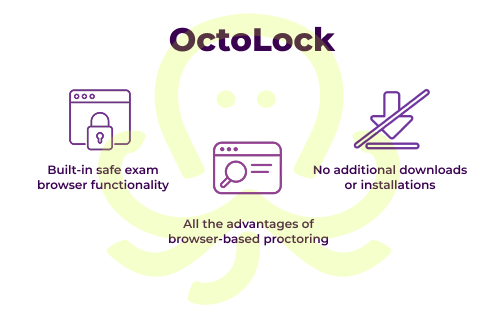
Unlike standalone lockdown applications, OctoProctor combines built-in safe exam browser functionality with browser-based proctoring in one solution. Institutions can restrict unauthorized tabs, extensions, and virtual machines, and detect remote cameras without requiring separate installs, thus creating a smoother exam experience for test takers.
Book a call to learn about OctoProctor’s alternative to lockdown browser. See how OctoLock combines built-in safe exam browser functionality and advanced monitoring to keep exams fair and secure.
Book a callNo downloads, plugins, or extensions required for test takers. Supports web and mobile browsers.
Quickly adjust proctoring and security settings for each exam session based on the nature of your assessment.
Run SCORM exams directly within your proctoring environment, with no LMS integration required.
Ethical, transparent and non-intrusive monitoring, with both on-premises and region-specific cloud options to meet compliance needs.
Works reliably with as little as 256 kbps, ensuring a smooth exam experience even in low-connectivity environments.
Built on research-driven methodologies and customizable rules to ensure trustworthy results.
The US alcohol server market is highly regulated, so we needed stable and secure proctoring software that could meet our needs. We’re happy to have found OctoProctor. Their mobile-friendly, browser-based proctoring solution was exactly what we were looking for, especially since half of our test takers complete certifications with smartphones.
OctoProctor delivers stable performance, even with 500 concurrent users taking exams. With their solution, we were able to comply with South Carolina’s new alcohol training mandate and capture over 50% of the market, where we previously had only a small presence.
A lockdown browser is a web browser that secures online assessments by locking a test-taker’s computer during the exam and restricting access to unauthorized tools. This helps prevent cheating and maintain exam integrity.
A standalone safe exam browser extension typically requires separate downloads and installation, which can create additional setup friction for test takers. A lockdown browser app also focuses primarily on device lockdown, with limited visibility into what happens beyond the screen, for instance, background noise, candidates looking away from the screen, and other suspicious behavior.
OctoProctor combines essential SEB functionality with advanced monitoring, all in the standard browser, without plugins, downloads, or separate installs.
OctoLock, OctoProctor’s lockdown browser extension alternative, detects unauthorized browser tabs, extensions, external displays, virtual machines, and virtual cameras. It keeps users within the active tab and hides content if they leave it, helping prevent content manipulation like copying, saving it via a print dialog, or using hotkeys.
A lockdown browser extension blocks access to other applications, websites, copy and paste actions, and system functions like screen capturing until the exam is submitted.
No, OctoLock is a part of OctoProctor proctoring software. Test takers don’t need to install any apps, plugins, or extensions. The lockdown browser alternative runs directly in the default browser, ensuring a seamless testing experience.
Yes. You can configure different rules, verification steps, and monitoring levels depending on exam type, risk level, or your organization requirements.
Yes. OctoProctor supports the use of a secondary mobile device as an additional camera to monitor the test taker’s environment and add an extra layer of security to remote proctored exams.


