You’ve decided to implement proctoring software for your exams. What’s next?
A smart (and safe) approach is to start with a pilot, test what works and what does not, and then scale across your exams and assessments.
But speed still matters. Exam schedules are tight, stakeholders are waiting, and delays can turn into frustration. A fast pilot helps you gather feedback early, fix what doesn’t work, and move forward quickly.
In this article, we’ll show you the fastest way to run a proctoring pilot. We’ll also provide expert insights and practical tips drawn from OctoProctor’s real-life projects.
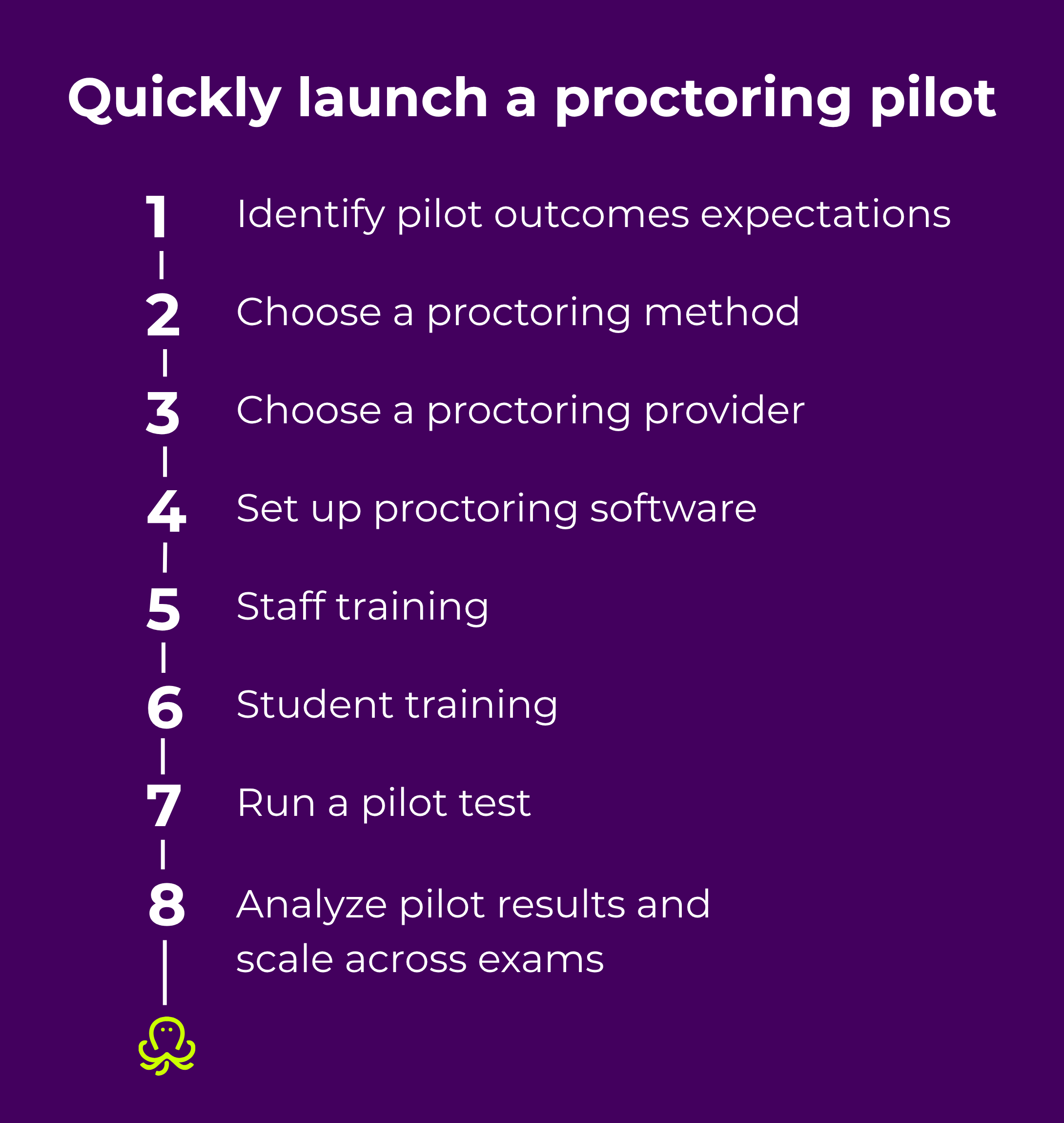
Start by defining what you want to learn from the pilot, then identify the exams or assessments you want to include. For a pilot, 1-2 exams are usually enough.
It’s also important to decide how you will measure success. Ask yourself the following questions:
Once you’ve answered those questions, turn your ideas into practical requirements for the pilot. Here are some example goals you might set:
Before launching your pilot, you need to decide which proctoring approach best fits your exam format, security requirements, and pilot goals. For example, if you deliver high-stakes exams, live human proctoring offers the level of oversight and intervention you need. If you run large-scale assessments with high student volumes, automated or hybrid proctoring is a more suitable option.
Here are the proctoring models to consider:

When evaluating providers, pay attention to the following areas:
Some institutions require exam recordings and candidate data to be hosted in specific regions to comply with local regulations such as GDPR or internal data governance policies.
Compliance issues may delay implementation and create legal risks, which is why you need to make sure in advance that the provider meets your organization’s legal and regulatory obligations. OctoProctor, for example, meets relevant industry regulations and data storage requirements, including GDPR, FADP, CCPA/CPRA, PIPEDA, and LGPD. The platform processes only the information needed to deliver secure proctoring and all data is stored in customer-selected AWS regions, helping institutions meet data residency requirements.
Look for solutions that enable students to take their exams seamlessly. Every additional installation setup increases friction and raises the likelihood of technical issues or test taker drop-off.
OctoProctor allows test takers to join exams directly from their browser without downloading software or browser extensions.
If your test takers are spread across different regions, make sure the platform performs reliably in low-bandwidth conditions. OctoProctor, for instance, requires 256 kbps and automatically recovers sessions from a temporary loss of connectivity.
When a proctoring interface is difficult to navigate, hard to read, and incompatible with assistive technologies, it creates barriers for test takers. This makes the exam experience frustrating and exclusionary for people with different accessibility needs.
To keep online assessments inclusive, choose a platform that follows accessibility best practices and works well with assistive tools. You should also check whether the interface offers clear navigation, keyboard accessibility, readable layouts, and intuitive login functionality.
OctoProctor follows accessibility standards and provides compatibility with assistive technologies. We continuously work to make the software accessible for both test takers and administrators, regularly introducing improvements to enhance usability. For example, our recent 5.10.0 update includes several important accessibility enhancements for test takers.
Start by integrating the proctoring software with your LMS or testing platform to mirror your real exam setup. If you’re using SCORM content, you can also run a pilot without LMS integration using a built-in SCORM player. However, we recommend testing in conditions as close to your actual environment as possible.
Depending on the exam format, choose AI/automated or live human proctoring. After that, you can configure exam session parameters for a pilot project. This typically includes defining identity verification requirements, allowing or blocking access to specific browser tabs during the exam, adding rules and incident triggers for suspicious behavior, and more.
Even the best proctoring software won’t work without proper preparation. Before your pilot, make sure the involved staff knows well how to use your platform, including configuration, navigation, and issue resolution. Practice key processes in realistic scenarios, such as identity verification, monitoring sessions, and managing escalation steps if issues arise.
You can also create a practical checklist for admins and proctors to ensure everything is ready before the exam starts. This will reduce last-minute stress, minimize technical disruptions, and make it easier to scale proctored exams across different sessions and groups.
For administrators, focus on configuration, including setting up session parameters and adjusting system settings to match your exam requirements. For proctors focus on running exam sessions, such as identity verification, applying monitoring rules, and handling incidents or escalation when needed.
Prepare test takers in advance so they know exactly what to expect on exam day.
Cover areas such as room setup (e.g., no other people or pets allowed in the room), working webcam and microphone, supported browser and system requirements, and valid photo ID ready for identity verification.
Run your pilot with smaller groups of test takers. This allows you to move faster, identify issues early, and make fixes before scaling to larger groups.
Pro tip: Plan each stage of the pilot with clear ownership and timelines. Define success criteria from the start. For example, you can evaluate your pilot across system performance, test-taker experience, and reported incidents. You can also assign different importance to each criterion, for example, some are must-haves and others are nice-to-haves, depending on what matters most to your organization.
Wherever possible, use measurable metrics like accuracy of flagged incidents and false positive rate. This will help you make informed decisions rather than relying solely on subjective feedback.
Running a pilot is only half of the job. The real value comes from analyzing the results and learning from them. So, take time to review what worked well, what didn’t, and where improvements are needed before scaling proctored exams.
Then, define a rollout plan for expanding across exams. Start by prioritizing similar exam types where the pilot performed well, and gradually extend to larger or more complex use cases.
Here are some practical tips that we’ve learned from real-life projects to help you run your pilot faster.
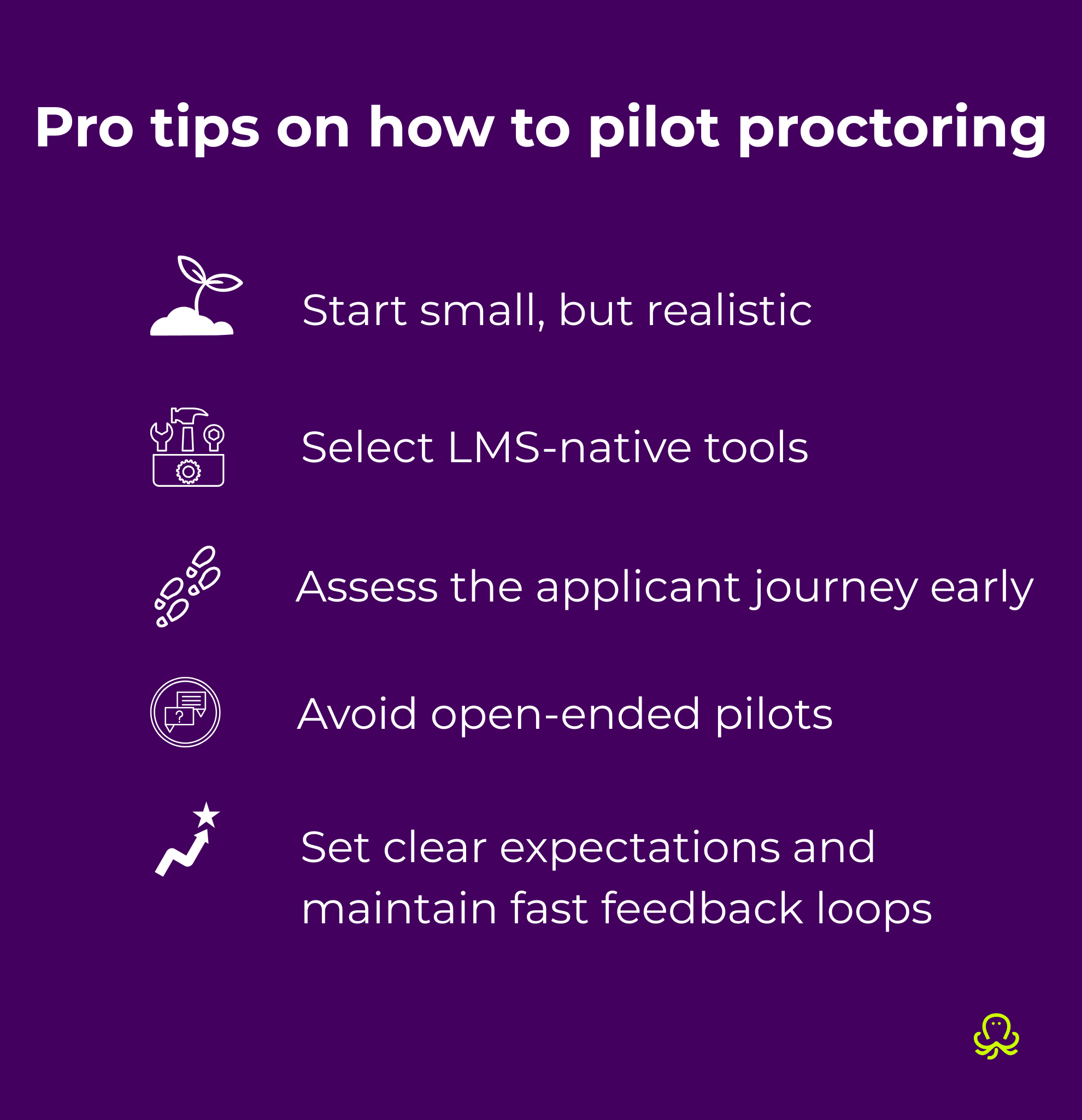
Start your pilot with a small group of tech-savvy learners or internal team. This will help you validate workflows and make adjustments before rolling it out more widely.
“Clients who test with a small group (e.g. 5 users) in real conditions get much better results than those trying to simulate everything at once. Many clients start with a small internal group and this way they identify setup gaps in just one session and adjust quickly before full rollout.” – Panagiota Perraki, Customer success manager
By choosing solutions that integrate directly with your LMS, you prevent technical barriers and minimize onboarding time. This way, users won’t need separate logins, making the setup smoother and more efficient.
In practice, the biggest challenges in proctoring pilots rarely come from the solution itself. As our team has seen:
“The biggest delays usually come from instructions, access flow, or integrations, not the proctoring itself. In more than one case, everything worked technically, but candidates struggled with login steps, which we only caught once we ran the full flow end-to-end.” – Panagiota Perraki, Customer success manager
Set short deadlines for your pilot, otherwise it’s easy to lose focus, which can slow down progress and delay decision-making. Besides, when a pilot doesn’t have an explicit scope or timing, it’s easy to get stuck in a cycle of endlessly adding new requirements, edge cases, and nice-to-have features. This slows everything down and makes it harder to objectively evaluate the results.
“Pilots tend to drag when they’re open-ended. Clients who define a 1–2 week testing window move much faster and are more decisive about next steps.” – Panagiota Perraki, Customer success manager
Communicate rules and exam expectations from the very start of the pilot and encourage participants to report incidents as soon as they appear.
“Clear expectations (who joins, what’s being tested, what counts as success) prevent back-and-forth later. I’ve seen pilots slow down significantly when these weren’t agreed upfront. The fastest pilots are the ones where feedback is shared quickly. Even small issues get resolved immediately, which builds confidence in the solution.” – Panagiota Perraki, Customer success manager
If you want to launch a proctoring pilot quickly and scale it smoothly, the key is solid preparation. Investing time upfront to define requirements, check technical readiness, and set explicit guidelines for proctors and test takers will save you time later in the process.
We also advise you to start with a small group and actively collect feedback throughout the pilot. This allows for rapid issue detection, setup optimization, and a seamless full-scale rollout.
Book a free call with our team to discuss the best approach, choose the right proctoring model, and get expert guidance.
Schedule a callAn online proctoring pilot is a small-scale test of proctoring software used before full deployment. It helps institutions test integrations, collect feedback, and make necessary adjustments before scaling across exams.
To quickly run a proctoring software trial, start with a small group of test takers. Focus on core workflows (e.g., ease of session configuration, identity verification, and exam monitoring) and keep the scope tight. You should also define success criteria and collect feedback immediately after each exam session to speed up decision-making.
The best way to test proctoring software is to simulate real exam conditions as closely as possible. Include actual students, real exam rules, and realistic environments. This will enable you to uncover technical issues, usability challenges, and integration gaps early and then scale seamlessly.
Assess areas such as system performance (stability, accuracy of flagged incidents), user experience (ease of setup and use), and technical fit (integration with LMS, configuration time, support processes). Combine qualitative feedback with measurable metrics to ensure a balanced evaluation.
A successful online proctoring pilot is clearly defined, time-bound, and focused on real use cases. It starts small, uses structured feedback, and helps quickly move toward full-scale rollout.
When evaluating online proctoring software, compare products using the same pilot scenario, success criteria, and participant group. Assess ease of setup, user experience, incident detection, reporting, LMS integration, support quality, and overall administrative effort — not just the list of features. If you're evaluating, for instance, OctoProctor alongside Proctorio, our detailed comparison explains the differences in deployment, browser requirements, data residency, SCORM support, and assessment workflows.